


What are we cooking this week?
The same question every day, and between work and kids there’s no time to think of something, shop for it and cook it. WhatWeCook is one place for the whole household: everyone’s recipes from Instagram, TikTok and everywhere, a week you plan together, and one shopping list everyone sees.
No ads · Free to plan and cook · Your family’s recipes stay yours

Hot honey chicken burger
Suggested for this week
Swipe the card, the way you would in the app · 1 of 4
From the family chat.
You’re not the only ones.
This is what the first families wrote back when we showed them the app.
- Peter, three kids
We always have the same problem. The problem is time to think about it, get the ingredients and do it. With 3 kids and a puppy, time vanishes.
- Erik
You totally nailed the problem.
- Dimitri
I used the photo import for the pancakes. Worked well!
- Raife
Wow, the recipes are seriously amazing.
- Berrak
Wooow! Awesome! I was waiting for it.
- Henning
That’s exactly why we’re building WhatWeCook.
Firuze found it on Instagram.
Every recipe, finally in one place.
Share a reel straight from Instagram, TikTok or YouTube to WhatWeCook and keep scrolling: a notification tells you when the recipe is in. Or paste a link, or snap a page from a cookbook. You get a clean recipe back in your language, even if the original wasn’t, with a link to where it came from. And if the post left something out, the app tells you honestly.
- YouTube
- TikTok
- Chefkoch
- Kitchen Stories
- KptnCook
- A photo of a page



or any other recipe site
Take a look.
This is WhatWeCook.
Collect recipes, plan the week together, and the shopping list writes itself. On iPhone as an app, on Android straight from your Home Screen.
Thursday is settled.
Plan the week with the whole family.
Everyone adds what they fancy. One person picks the days, a few days or a few weeks ahead, and the whole family sees the plan. When someone puts moussaka on Thursday, the others get a notification. It remembers what you cooked, too, with notes for next time.
Mon
Tue

Wed
Thu

Fri
Sat

Sun
Everyone drops in what they fancy. You decide what actually happens.

Firuze added
On Thursday

You added
Nobody forgot the lemons.
A shopping list that writes itself.
Every ingredient for the days ahead, sorted by aisle, doubles added up, and the salt and oil you always have left off. No meal kit, no delivery: shop wherever you already do, and everyone at home sees what’s in the basket.
 Crispy tandoori chicken
- One-pot pumpkin lasagne
- 2 lemonsChicken shawarma bowl
- Greek yoghurtChicken shawarma bowl
- PumpkinPumpkin lasagne
- Lasagne sheetsPumpkin lasagne
The photo took two seconds.
Your phone snap, as a cookbook photo.
The AI Studio takes your photo and makes it beautiful. The same bowl, the same dough, just lit like a cookbook. If you like, it lays out the ingredients as a flat lay, shows the dish from other angles, and draws a picture for every step. All in your style.


- Ingredients as a flat lay
- More angles
- A picture for every step
- Four photo styles
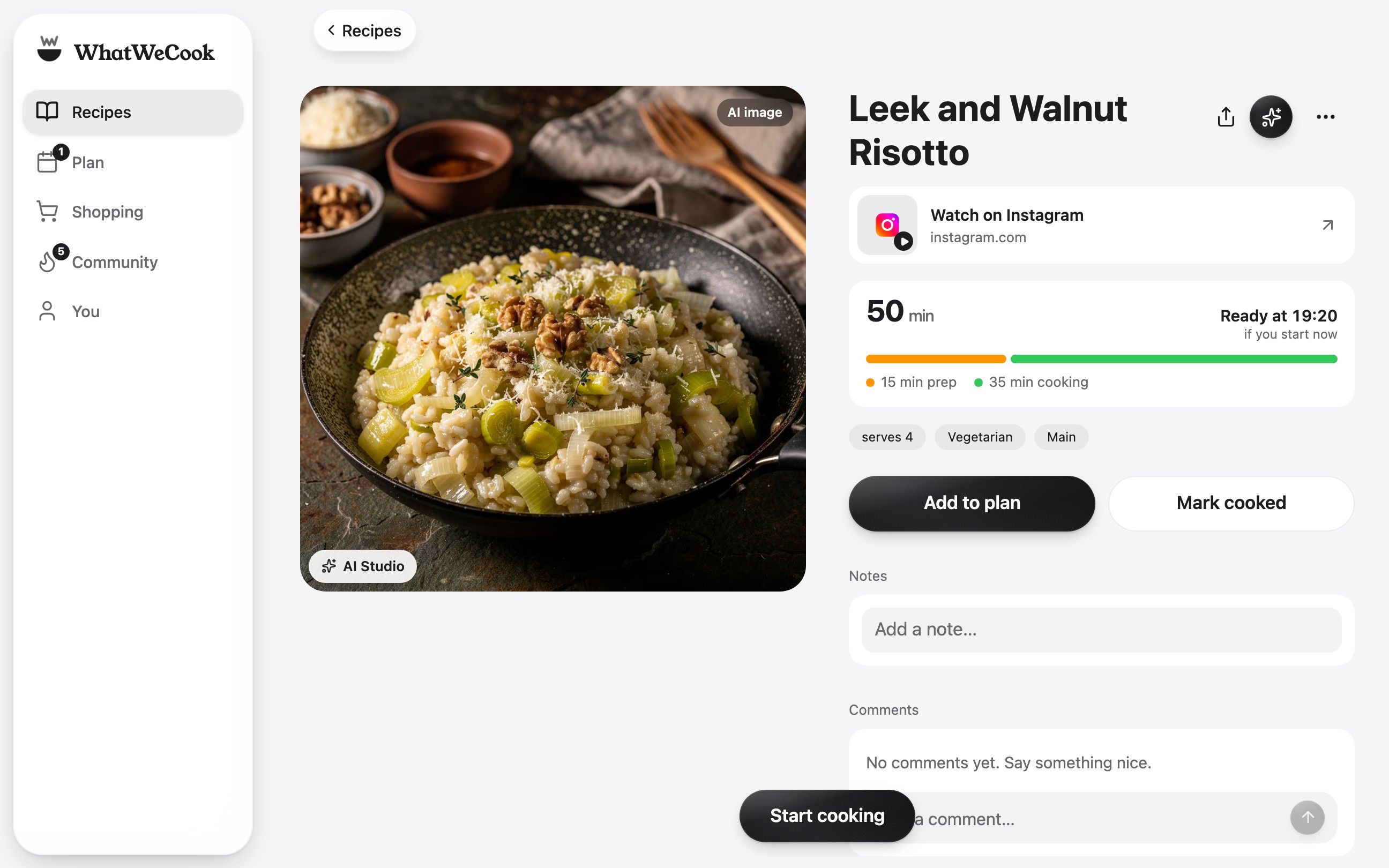
Phone or iPad, propped up by the stove.
It helps at the stove too.
When it’s time to cook, the app keeps up. Whoever cooks today opens the dish straight from the week’s plan, on the phone, the iPad or the laptop. The ingredients sit in bold inside each step, so nobody scrolls back up with floury fingers.
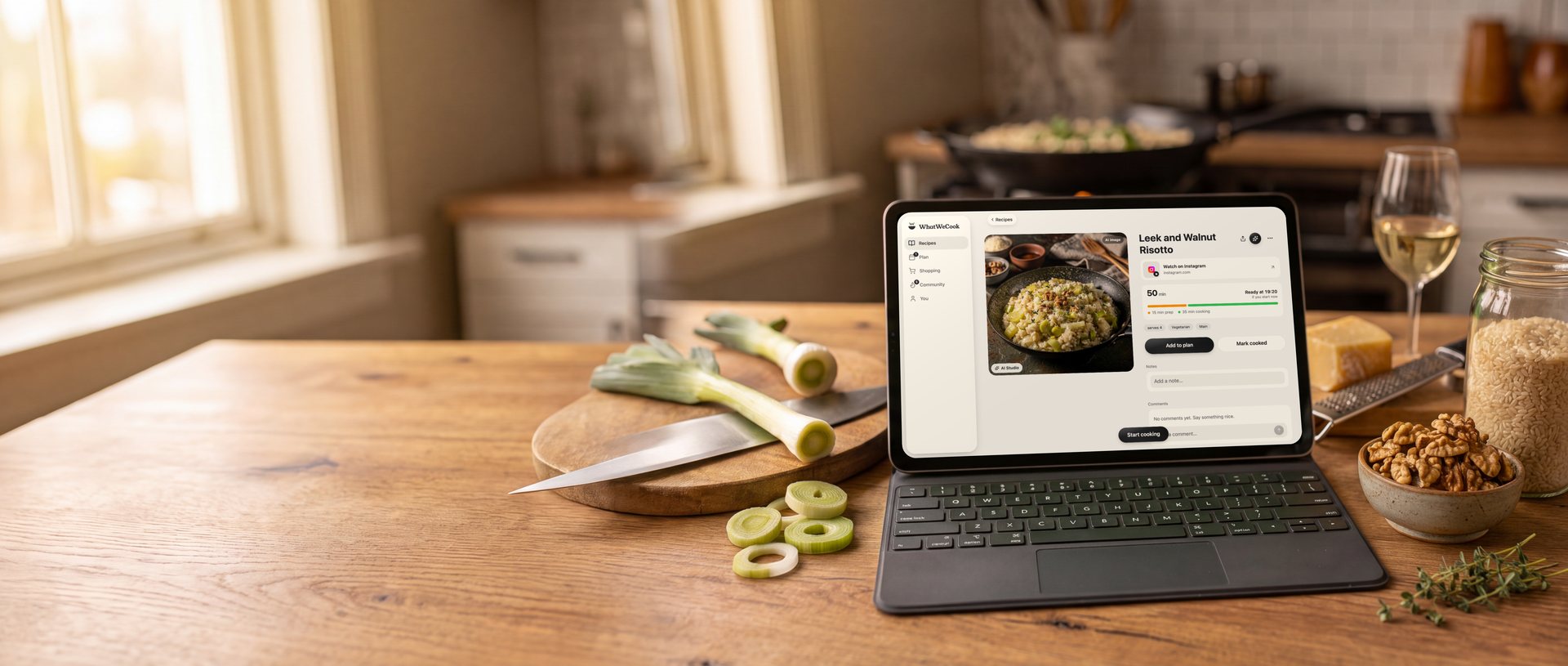
- A picture for every stepSo you can see what it should look like before you get there.
- Timers from the recipeIf a step says “bake for 20 minutes”, the timer is one tap away, and it rings even when the phone is locked.
- The screen stays onWhile you cook, the display doesn’t go dark.
- The week, offlineThis week’s recipes and the shopping list work without a signal, in the cellar or the supermarket.
Nuri made it look easy.
And for the days nobody has an idea.
See what friends actually cooked this week. Like the look of something? Save it in one tap.
- Nuri
Crispy tandoori chicken
12
- Firuze
Hot honey chicken burger
7
- David
Apple cider doughnut waffles
9
- Henning
One-pot pumpkin lasagne
4
- Nuri

Indian curry
15
- Firuze
Smashed cucumber salad
6
- David
Chicken shawarma bowl
11
- Henning
Cacio e pepe with za'atar
8
Something new every week.
Follow us on Instagram.
Every reel has the whole recipe in the post. Save the ones you like, and cook them this week.





Three people who love cooking and are hopeless at planning it.
Who’s behind it

David

Firuze

Henning
We love cooking. Planning it is the part that defeats us: the same question every week, and nobody can remember what we made the week before.
Our recipes were everywhere. Saved on Instagram, bookmarked in a browser, sitting in a cookbook on the shelf. Never in one place you could plan from.
Every app we tried did one piece of it. A recipe box, or a meal planner, or a shopping list. Never the whole way from “that looks good” to “it’s in the basket”. So we built the one we wanted.
And we almost never cook just for ourselves. It’s for the family, or for friends coming over. That’s the part nothing else seemed to notice.
David used to spend Sundays browsing recipes and writing out the week’s shopping list by hand. Firuze would find something on Instagram and send it to Henning. Now it all goes straight into the week.
What we’re after isn’t complicated: less stress on a Tuesday evening, and something worth eating at the end of it.
Follow along on Instagram: @whatwecookapp
We’re testing with a few families.
WhatWeCook is young. A few families already cook with it and tell us whether the app and the idea hold up in real life: on weeknights, with kids, with little time. What they tell us goes straight into the app. Here’s what has come together so far:
- recipes imported
- 124+19 this week
- photos made in the AI Studio
- 1,147+103 this week
- people cooking with it
- 38+1 this week
Real numbers, counted once a day.
Decide once a week, not every day.
Think once, shop once, and on weeknights just cook. It’s free: sign up with your email and we’ll show you how to add it to your Home Screen.
Sign in or sign upYour recipes stay yours. No subscription stands between you and your own cookbook.
New here?
Enter your email, we’ll send you a code, and you’re cooking. It’s free.
Sign in or sign upMade for your family, not for advertisers.
- No ads. Not now, not later.
- Free to plan and cook. Your cookbook, the week’s plan and the shopping list are free. AI extras may cost something one day.
- Your recipes stay yours. We never sell your data or track you across other apps.
- AI only when you say yes. You choose, and you can change it any time.
- Not tied to one supermarket. Plan first, then shop wherever you like.
Questions
What does it cost?
Nothing today. Your cookbook, plans and shopping list stay free. Some AI features may cost something later: you’ll hear it from us first, and your recipes are never locked away.
Is there an app?
On iPhone, yes: the WhatWeCook app is free. On Android it runs in the browser: add it to your Home Screen and it opens like any other app, with notifications. Either way you sign in with your email.
Who sees what I cook?
Your household sees your plan and the cookbooks you share with it. Friends who follow you see what you cooked, unless you turn off “Share your cooking” in your profile. That hides everything, including what was already there.
What if I stop using it?
Every recipe keeps the link to where it came from. If you leave, write to us and we’ll send you all of your recipes.
Who can use it?
Anyone. Enter your email, we’ll send you a code, and you’re in. It’s free.
What does the AI do with my photos and recipes?
Only what you ask it to, and only once you’ve said yes: read and tidy a recipe, translate it, answer your questions about it, write the shopping list, make a photo beautiful in the AI Studio. For that, exactly that text or photo goes to an AI service, and we show which one. On iPhones with Apple Intelligence some of it happens right on the phone. The app and your data live in Frankfurt. We show no ads and sell no data.